AI Laptops
The laptop has always been a machine that follows you — into cafés, airports, boardrooms, and bedrooms. For decades, what differentiated one portable computer from another came down to raw CPU speed, battery life, and display quality. That calculus is changing. A new generation of processors, purpose-built for artificial intelligence inference, has arrived in consumer hardware. These machines are being marketed under a new category: the AI laptop. Whether you're running large language models locally, generating images offline, or simply using a voice assistant that actually understands context, the silicon inside a 2025 AI laptop has been redesigned from the ground up to make on-device AI fast, efficient, and private.
This article examines what an AI laptop actually is, how the underlying hardware works, which platforms are competing for the category, which specific machines are worth considering, and what real-world performance looks like in mid-2025.
What Makes a Laptop an "AI Laptop"
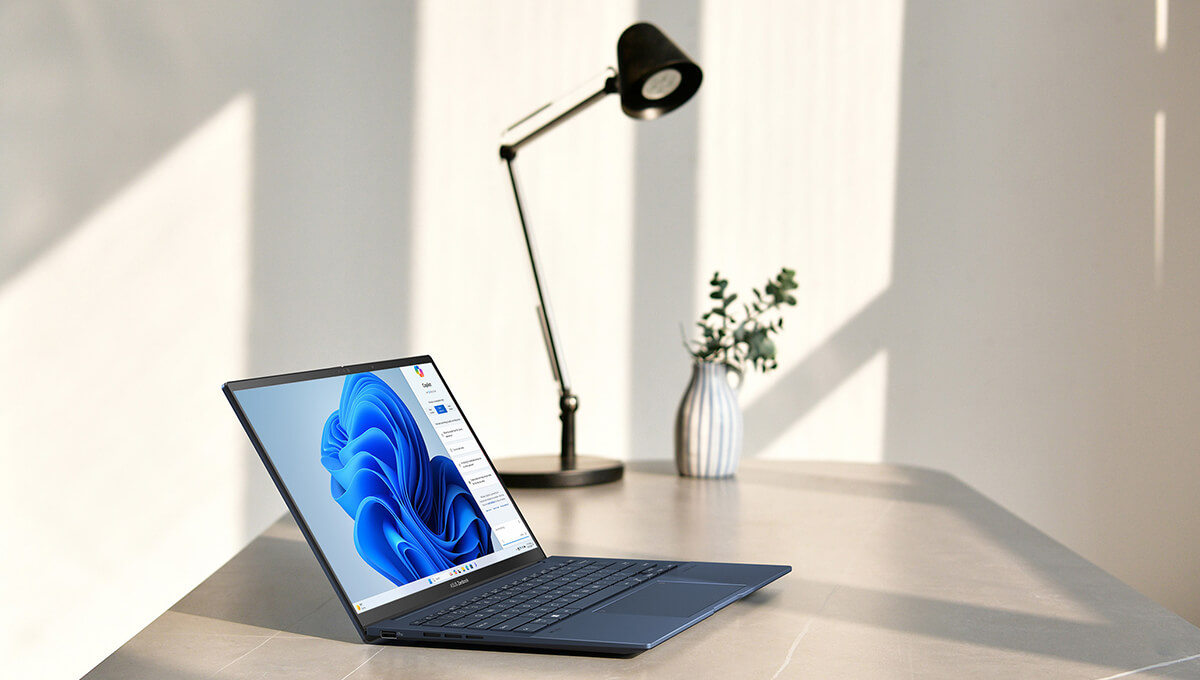
The term "AI laptop" has been used loosely by marketing departments since at least 2023, when chip manufacturers began adding dedicated neural processing units — NPUs — to mainstream mobile processors. But the label only started to mean something concrete when Microsoft introduced its Copilot+ PC specification in May 2024.
To qualify as a Copilot+ PC, a machine must deliver a minimum of 40 TOPS (Tera Operations Per Second) of NPU performance. This threshold was chosen to enable specific Windows AI features in real time: live captions, real-time translation, AI-powered image generation with Cocreator, and — most controversially at launch — the Recall feature, which uses AI to index everything you see on your screen into a searchable timeline.
Beyond Microsoft's marketing umbrella, the practical definition of an AI laptop has converged on a few hardware characteristics:
- A dedicated NPU running at 40 TOPS or higher
- Sufficient unified or system memory (ideally 32 GB or more) to hold modern AI model weights in VRAM-equivalent space
- Memory bandwidth high enough to feed token generation at usable speeds — typically 100 GB/s or above for serious local inference
- A CPU architecture optimized for mixed-precision workloads (INT8, INT4, FP16, BF16)
This last point is what separates genuine AI laptops from machines that merely carry the NPU badge. A processor with a strong NPU but only 16 GB of shared memory and 68 GB/s of bandwidth will struggle with models above 7 billion parameters. The machines that have genuinely raised the category are those pairing high-TOPS NPUs with what AMD calls "large memory" configurations — unified pools of 64 GB or 128 GB shared between CPU, GPU, and NPU.
The Three Platforms
As of mid-2025, three distinct silicon platforms compete in the AI laptop space. Each takes a meaningfully different architectural approach.
AMD Ryzen AI Max
AMD's Ryzen AI Max family, launched in early 2025, represents the most aggressive architectural bet in the category. The Ryzen AI Max processors are not standard laptop chips with AI bolted on — they are high-performance APUs (Accelerated Processing Units) that pair a Zen 5 CPU with a dramatically scaled-up RDNA 3.5 integrated GPU and an XDNA 2 NPU.
The flagship configuration is the Ryzen AI Max+ 395, which features:
- 16 Zen 5 CPU cores (12 performance + 4 efficiency) at up to 5.1 GHz
- 40 RDNA 3.5 Compute Units — the largest integrated GPU ever put in a laptop chip
- An XDNA 2 NPU rated at 50 TOPS
- Support for up to 128 GB of LPDDR5X unified memory running at 256 GB/s
That memory bandwidth figure is the number that matters most for AI workloads. For comparison, a discrete NVIDIA RTX 4060 laptop GPU delivers around 272 GB/s, but from a dedicated 8 GB VRAM pool. The Ryzen AI Max+ 395 gives the GPU and CPU access to the same 128 GB pool at nearly the same bandwidth — meaning a 70B-parameter model, which typically requires a dedicated GPU with 80 GB of VRAM to run at all, can run locally on a laptop.
The non-Plus Ryzen AI Max 395 drops to 32 RDNA 3.5 CUs but otherwise shares the same memory architecture. The Ryzen AI Max 390 uses 16 CUs and is typically paired with 32 GB or 64 GB configurations.
AMD rates the Max+ 395's iGPU at roughly 8 TFLOPS of FP32 performance — competitive with a discrete RTX 4060 in many workloads, though the comparison depends heavily on task type and memory bandwidth utilization.
Intel Core Ultra 200H Series
Intel's answer to the AI laptop moment is the Core Ultra 200H (Lunar Lake architecture, launched late 2024) and, in the higher-performance tier, the Core Ultra 9 285H (Arrow Lake-H). Intel's approach differs from AMD's in that it leans on discrete GPU pairing rather than a massive integrated GPU.
The Core Ultra 200H series features Intel's NPU 4, rated at 48 TOPS — above Microsoft's 40 TOPS Copilot+ threshold. The CPU architecture includes both Performance and Efficiency cores with improved per-core IPC over prior generations.
Where Intel diverges sharply from AMD is in the graphics story. Most high-end Intel Core Ultra 200H laptops pair the processor with a discrete NVIDIA RTX 4060, 4070, or 4080 GPU. This gives those machines clear advantages in rasterization gaming, professional GPU compute, and CUDA-specific AI workflows (particularly anything using PyTorch with CUDA backends). However, it also means higher power draw, larger chassis, more heat, and — critically — VRAM limitations. An RTX 4070 laptop typically carries 8 GB of GDDR6 dedicated VRAM, which is the hard ceiling for local AI model size.
For users running standard AI assistant features, image generation with smaller models, or standard productivity tasks, the Intel + discrete GPU pairing is highly capable. For users who want to run 30B+ parameter models locally without quantization compromise, the discrete GPU VRAM wall becomes a real constraint.
Intel Core Ultra 9 285H laptops range from approximately $1,200 to well over $2,500 depending on discrete GPU tier, display, and configuration.
Apple M4 Pro / M4 Max
Apple's contribution to the AI laptop category follows a fundamentally different design philosophy from the Copilot+ PC ecosystem. Rather than pursuing Microsoft's 40 TOPS NPU certification, Apple has doubled down on the unified-memory architecture that has defined Apple Silicon since the M1: a single high-bandwidth memory pool shared by CPU, GPU, and Neural Engine, with a Metal-based compute stack in place of DirectML or CUDA.
The two chips relevant to the AI laptop discussion are the M4 Pro and M4 Max, both shipping in the current MacBook Pro 14 and 16.
The M4 Pro features:
- A 12-core CPU (4 performance + 8 efficiency)
- A 20-core GPU
- A 38 TOPS Neural Engine
- Up to 24 GB unified memory at 273 GB/s bandwidth
The M4 Max scales significantly higher:
- 14- or 16-core CPU
- Up to a 40-core GPU
- A 38 TOPS Neural Engine (Apple has not scaled the ANE with the larger die)
- Up to 96 GB unified memory at 546 GB/s bandwidth on the largest configuration
The bandwidth number is the decisive one. At 546 GB/s, the M4 Max moves data through its memory subsystem more than twice as fast as any x86 laptop platform on the market — including AMD's Ryzen AI Max+ 395 at 256 GB/s. For token generation in large language models, where the bottleneck is memory bandwidth rather than raw compute, this translates directly into throughput advantages. An M4 Max system running a 70B model via MLX routinely delivers 25–30 tokens per second, outpacing every consumer Windows laptop currently shipping.
The tradeoffs are architectural, not performance-driven. The 38 TOPS Neural Engine falls below Microsoft's 40 TOPS Copilot+ threshold, so Apple does not participate in the Windows AI feature set (Recall, Cocreator, Studio Effects). macOS also cannot run CUDA — the majority of professional AI development tooling that depends on the NVIDIA ecosystem does not run natively on Apple Silicon. Apple's own MLX framework has matured rapidly and now offers first-class local LLM inference through Ollama, LM Studio, and native Metal Performance Shaders paths, but developers whose workflows are anchored in CUDA-based PyTorch will find macOS unable to serve them without cloud or remote compute.
For everything else — local LLM chat, image generation via MPS or ONNX backends, on-device voice transcription with Whisper, video AI upscaling in Final Cut Pro — the M4 Max defines the ceiling of what a consumer laptop can currently do.
Key Models Worth Knowing
HP OmniBook Ultra Flip 14 (AMD Ryzen AI Max)
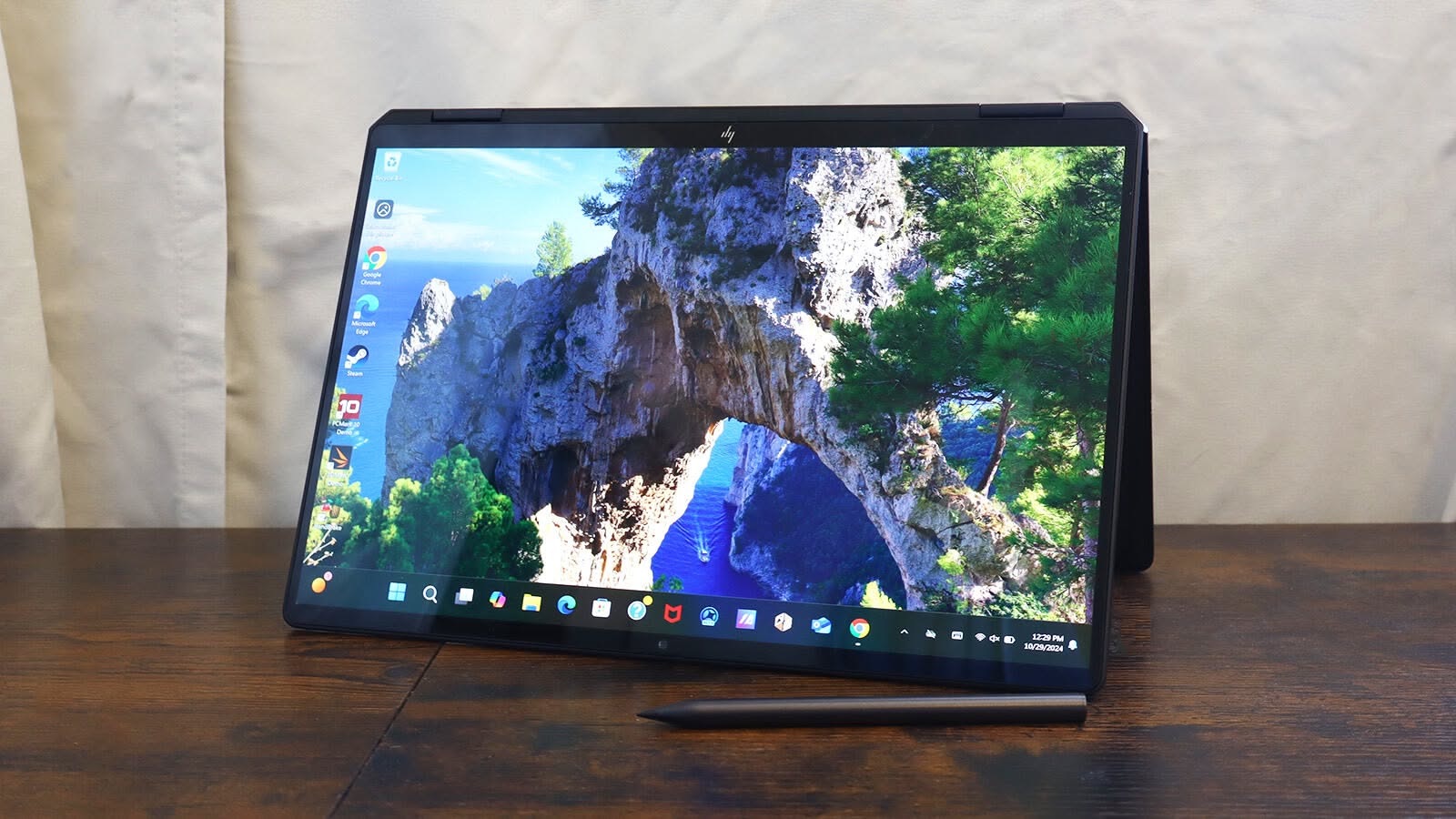
The HP OmniBook Ultra Flip 14 is one of the first premium 2-in-1 convertible laptops built around the Ryzen AI Max family and is among the most polished implementations of the platform. As a Copilot+ certified device, it ships with Windows 11's full suite of AI features enabled.
HP has configured the OmniBook Ultra Flip 14 across a range of SKUs:
- Entry configurations with Ryzen AI Max with 16 GB start around $1,799
- Mid-tier configurations with 64 GB climb into the $2,200–$2,400 range
- The top configuration with the Ryzen AI Max+ 395 and 128 GB unified memory approaches or exceeds $2,500
The machine features a 14-inch 2880×1800 OLED touchscreen with 120 Hz refresh, support for the HP Rechargeable MPP2.0 Tilt Pen, and a chassis that rotates fully flat for tablet use. Build quality has been broadly praised in early reviews, with a premium aluminum construction that competes aesthetically with the MacBook Air.
In AI benchmark testing, the 128 GB / Ryzen AI Max+ 395 configuration runs Llama 3.1 70B at approximately 15–18 tokens per second using 4-bit quantization via llama.cpp — fast enough for interactive use, running entirely on-device with no internet connection required. Smaller models like Phi-3 Medium or Mistral 7B run at 80–100+ tokens per second, making real-time text generation effectively instant.
Purchase links: HP OmniBook Ultra Flip 14 on HP.com | Also available at Best Buy and Microsoft Store.
ASUS ROG Flow Z13 (AMD Ryzen AI Max)
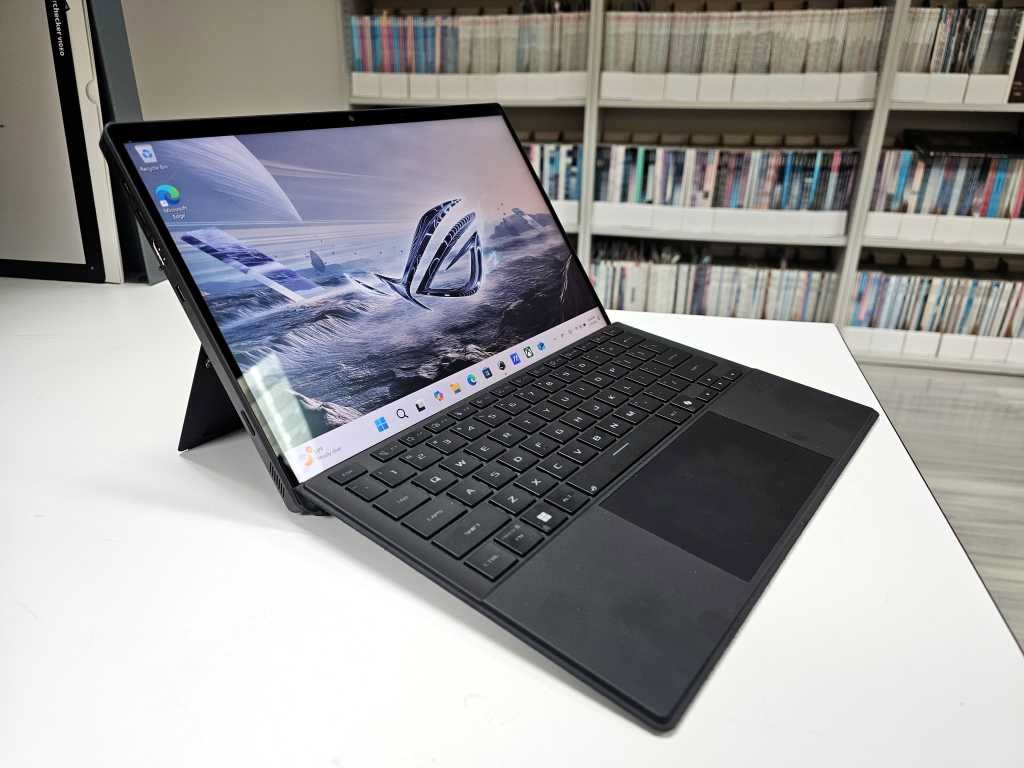
The ASUS ROG Flow Z13 (2025 edition) takes the Ryzen AI Max platform in a distinctly different direction: a gaming-oriented detachable tablet with an 13.4-inch display that can be used in laptop mode with the included kickstand and keyboard attachment, or purely as a tablet.
Starting at approximately $1,699, the ROG Flow Z13 packages the Ryzen AI Max into one of the thinnest gaming-class form factors on the market. ASUS has configured the tablet's cooling system with vapor chamber technology to sustain the chip's higher TDP headroom without throttling under sustained gaming or AI inference loads.
The ROG Flow Z13 ships with 32 GB or 64 GB unified memory depending on configuration. The detachable form factor makes it unusual in the category — it can function as a drawing tablet, a gaming handheld (with Xbox Game Pass and ROG XG Mobile external GPU compatibility), or a portable AI workstation.
For users interested in AI-powered creative tools — local image generation using Stable Diffusion XL, video upscaling, real-time voice synthesis — the Flow Z13's large integrated GPU and expandable memory make it particularly compelling. ASUS has also worked with ROG Ally's software ecosystem to support AI-enhanced game streaming and performance optimization.
Purchase links: ASUS ROG Flow Z13 on ASUS Store | Available at Best Buy, Newegg, and Amazon.
Lenovo ThinkBook 14 2-in-1 AMD
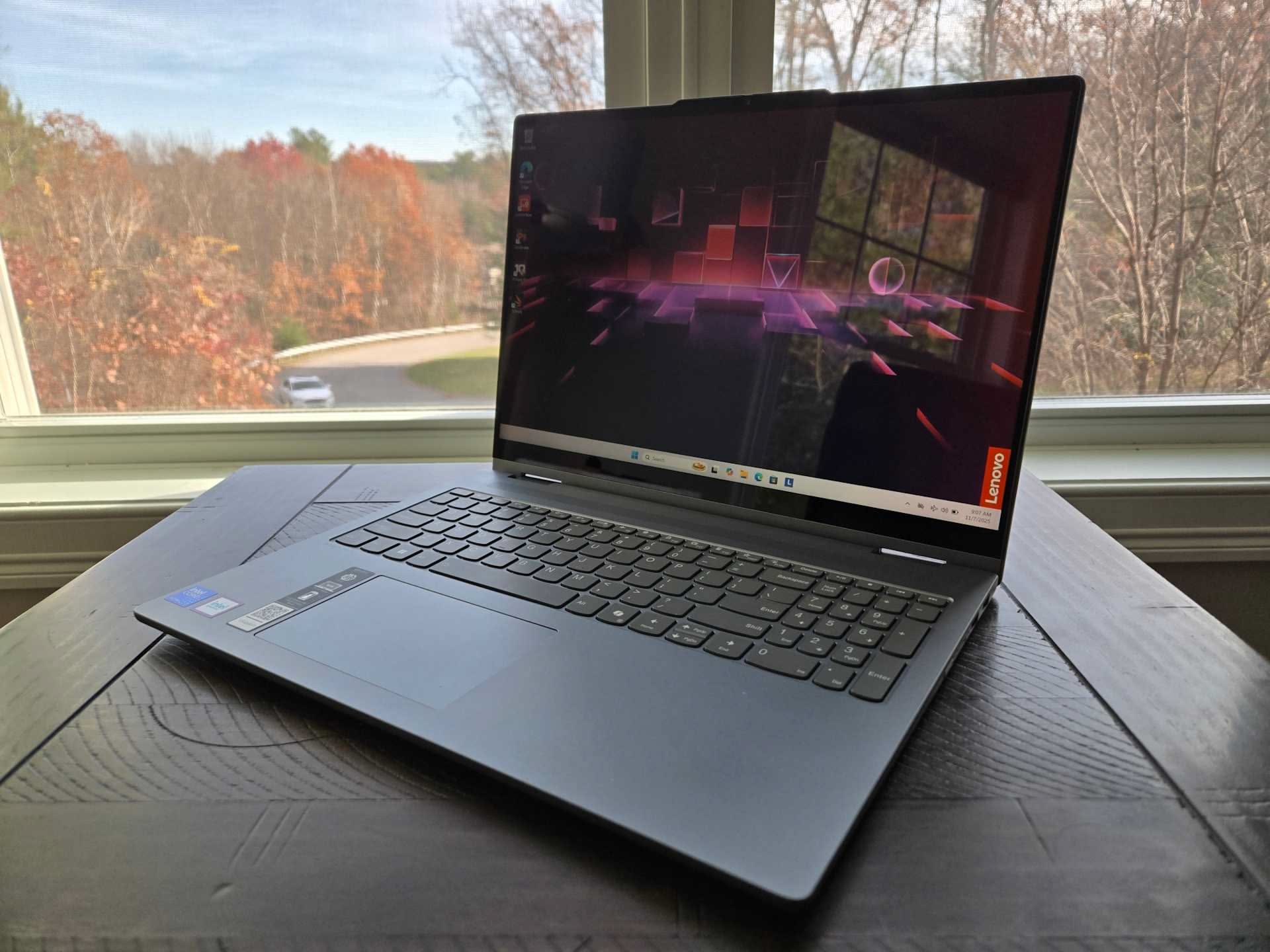
Aimed squarely at business users who prioritize reliability, manageability, and total cost of ownership, the Lenovo ThinkBook 14 2-in-1 AMD brings the Ryzen AI Max platform into a professional 2-in-1 form factor starting around $1,499.
The ThinkBook lineup has traditionally appealed to mid-market enterprise buyers who need more style than a ThinkPad but more business credibility than consumer lines. The Ryzen AI Max version ships with Lenovo's AI Now software suite and is certified for enterprise deployment through Microsoft's commercial Copilot+ programs.
The 14-inch touchscreen includes pen support, and Lenovo has equipped the machine with a full-size keyboard with backlit keys and a spill-resistant surface. Enterprise features include a dedicated Privacy Alert camera and optional IR camera with Windows Hello support.
At its base configuration, the ThinkBook 14 2-in-1 AMD represents one of the most affordable entry points into the Ryzen AI Max ecosystem while maintaining the reliability guarantees business buyers expect. ISV certifications for professional applications (Adobe Creative Cloud, AutoCAD LT) have been validated by Lenovo's enterprise team.
Purchase links: Lenovo ThinkBook 14 2-in-1 on Lenovo.com | Available through Lenovo business channels and CDW.
Dell Inspiron 14 Plus AMD
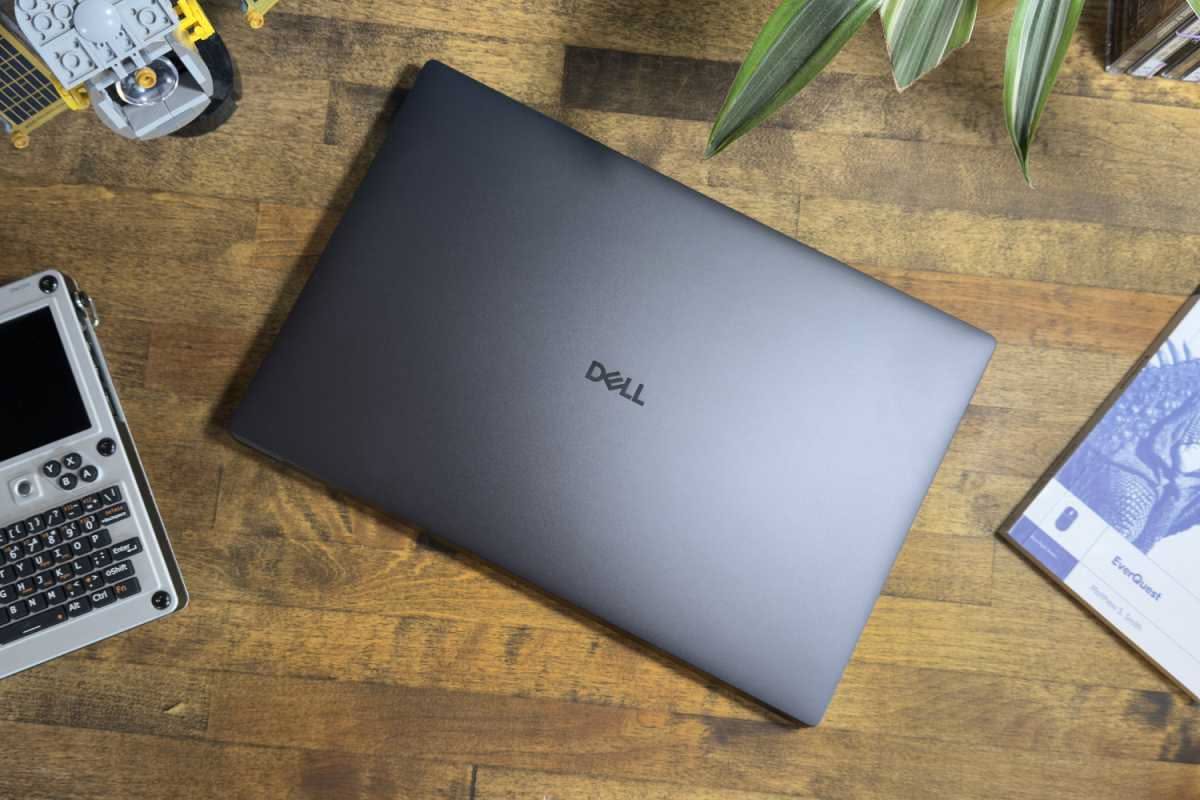
The Dell Inspiron 14 Plus AMD targets the mainstream consumer and prosumer markets with Ryzen AI Max configurations starting around $1,299 — the most accessible price point in the Ryzen AI Max laptop ecosystem as of mid-2025.
Dell has paired the Ryzen AI Max with a 14.5-inch 2560×1600 display at 120 Hz, offering one of the larger and sharper screens in this class. The Inspiron 14 Plus AMD ships with 16 GB or 32 GB unified memory in its lower configurations, though 64 GB options are available.
For users approaching AI laptops primarily through applications like Microsoft Copilot, Adobe Firefly (which offloads processing to the NPU), and local coding assistants like Continue or GitHub Copilot's offline mode, the base Inspiron 14 Plus AMD delivers Copilot+ certification and real-world AI assistant performance at a price point that undercuts the MacBook Air.
The machine's relative weakness versus higher-tier Ryzen AI Max machines is memory ceiling — the 16 GB base configuration limits on-device AI model size considerably. Users planning to run models larger than 7B parameters should plan for 32 GB minimum and ideally 64 GB.
Purchase links: Dell Inspiron 14 Plus on Dell.com | Available at Best Buy and Costco.
Apple MacBook Pro 14 (M4 Pro / M4 Max)
While Apple does not participate in the Copilot+ PC ecosystem, the MacBook Pro 14 running Apple Silicon represents the most established unified-memory AI laptop platform available, and any honest market analysis must address it.
The MacBook Pro 14 with M4 Pro starts at $1,999 and delivers:
- A 12-core CPU (4 performance + 8 efficiency)
- A 20-core GPU
- A 38 TOPS Neural Engine
- 24 GB of unified memory at up to 273 GB/s memory bandwidth
The M4 Max configuration begins at $2,499 and scales to:
- 14-core or 16-core CPU
- A 40-core GPU
- A 38 TOPS Neural Engine
- 36 GB, 48 GB, or 96 GB unified memory with up to 546 GB/s memory bandwidth on the 96 GB configuration
Apple's memory bandwidth advantage at the high end is significant. The M4 Max with 96 GB reaches 546 GB/s — more than double the Ryzen AI Max+ 395's 256 GB/s. For token generation in large language models, memory bandwidth is the primary bottleneck, which means an M4 Max system running a 70B model substantially outpaces the AMD equivalent in tokens-per-second throughput, despite lower TOPS figures from the Neural Engine.
The tradeoff is ecosystem. macOS runs AI inference through the Metal Performance Shaders framework and tools like MLX (Apple's own ML framework), Ollama, and LM Studio — all of which have strong macOS support. But CUDA-based workflows (which represent the majority of professional AI development tooling) do not run natively on Apple Silicon.
For users whose AI workloads center on local LLM chat, image generation via Stable Diffusion (through MPS or ONNX backends), and voice AI tools, the MacBook Pro remains a formidable choice. For users who need CUDA or Windows-native AI features, the AMD and Intel platforms are more relevant.
How AI Performance Is Measured
Understanding which laptop is "best for AI" requires distinguishing between different types of AI workloads and their hardware requirements.
NPU Workloads (40 TOPS Threshold)
The NPU — dedicated neural processing unit — is optimized for fixed, pre-compiled model inference on specific tasks: voice transcription, image segmentation, face detection, real-time video enhancement, and the background processing for features like Windows Studio Effects (eye contact correction, background blur, noise cancellation).
For these tasks, the 40 TOPS NPU in any Copilot+ PC is sufficient. The difference between 40 TOPS and 50 TOPS makes minimal real-world difference for these narrow, well-optimized inference pipelines. What matters is software support — whether the application has been compiled to target the NPU via Windows ML, DirectML, or ONNX Runtime.
GPU Inference (LLMs and Image Generation)
For running large language models and Stable Diffusion-class image generation locally, the GPU is where the bottleneck lies — not the NPU. These workloads are better served by:
- More memory to hold model weights
- Higher memory bandwidth to feed the GPU's compute units during token generation
- More GPU compute units for the matrix multiplications in transformer attention layers
This is why the Ryzen AI Max+ 395 with 128 GB is a qualitatively different machine from a Ryzen AI Max with 16 GB for serious local AI use — not just quantitatively faster, but capable of running entirely different model classes.
A practical guide:
| Memory Config | Models Accessible (4-bit quant) |
|---|---|
| 16 GB | 7B–13B parameter models |
| 32 GB | 13B–30B parameter models |
| 64 GB | 30B–65B parameter models |
| 128 GB | 70B+ parameter models including Llama 3.1 70B, Mixtral 8x7B |
CPU Performance
Modern AI applications — coding assistants, document summarizers, email drafters — often run through hybrid inference paths that combine local NPU or GPU inference with cloud APIs. For these workflows, CPU performance matters for application responsiveness rather than AI throughput. The Zen 5 architecture in Ryzen AI Max and the P-core clusters in Core Ultra 200H are both competitive in standard productivity and software development workloads.
The Privacy Argument for On-Device AI
One of the most persuasive arguments for AI laptops that rarely leads marketing material is privacy. When AI processing happens on-device, your data doesn't leave your machine.
This matters in several concrete ways:
Medical and legal professionals who cannot share client or patient data with cloud services can use local transcription (Whisper running locally) and document summarization without HIPAA or attorney-client privilege exposure.
Corporate security environments increasingly prohibit pasting proprietary code or internal documents into cloud LLM interfaces like ChatGPT or Claude's web interface. Local inference on a Copilot+ PC or Apple Silicon Mac eliminates that risk entirely.
Offline environments — aircraft, secure facilities, field deployments without reliable internet — benefit from AI tools that don't require connectivity.
Latency-sensitive applications — real-time translation, live captioning, voice interfaces — are faster when running locally because they eliminate the round-trip to cloud inference endpoints.
The AI laptop, at its best, enables a class of personal computing that is both more capable and more private than cloud-dependent alternatives.
Real-World Benchmarks and Use Cases
Local LLM Chat
Running Ollama or LM Studio with models like Mistral 7B, Llama 3.1 8B, or Phi-3 Mini is practical on any Copilot+ PC with 16 GB. Performance on a Ryzen AI Max+ 395 with 128 GB:
- Llama 3.1 70B (Q4_K_M): ~15 tokens/second — fast enough for conversational use
- Llama 3.1 8B (Q4_K_M): ~80–100 tokens/second — effectively instantaneous responses
- Phi-3 Mini 3.8B: ~120+ tokens/second
For comparison, Apple's M4 Max with 96 GB running the same 70B model via MLX reports approximately 25–30 tokens/second — faster per token, though at higher cost and with macOS-only ecosystem.
Image Generation
Stable Diffusion XL (SDXL) on AMD's RDNA 3.5 iGPU performs at roughly 3–5 seconds per 512x512 image at the RDNA 3.5 configuration of the Max+ 395. This is slower than a discrete RTX 4070 (which can generate in under 2 seconds with TensorRT) but represents the capability to run locally on a thin-and-light convertible with no discrete GPU.
Windows Copilot+ AI Features
Microsoft's native AI features on qualifying hardware include:
- Live Captions with translation (supports 40+ languages)
- Cocreator in Paint (AI image generation using local DALL-E 3 equivalent)
- Recall (AI-indexed timeline of everything on screen, available in opt-in preview)
- Super Resolution in Photos (AI upscaling using the NPU)
- Windows Studio Effects (webcam enhancement: eye gaze correction, background segmentation, voice focus)
These features work across all Copilot+ certified hardware — AMD, Intel, and Qualcomm — without meaningful differentiation in everyday use.
Buying Guidance
For most users: Ryzen AI Max with 32 GB ($1,499–$1,799)
The ThinkBook 14 2-in-1 AMD or entry Inspiron 14 Plus AMD at 32 GB represents the best balance of price, capability, and future-proofing for users who want Copilot+ features, solid local AI performance for 7B–30B models, and excellent CPU performance for everyday work. Memory is soldered and cannot be upgraded after purchase — choose at least 32 GB at time of purchase.
For local AI power users: Ryzen AI Max+ 395 with 64 GB–128 GB ($2,200–$3,000+)
If your workload involves running 30B+ parameter models locally, performing local image generation at scale, or using AI coding tools that benefit from larger context windows, the HP OmniBook Ultra Flip 14 or a comparable machine in 64 GB or 128 GB configuration is the most capable consumer option available on Windows. These configurations compete directly with — and in some AI tasks exceed — Apple's MacBook Pro M4 Max.
For gaming + AI: ASUS ROG Flow Z13 ($1,699+)
Users who want to run local AI models and also game seriously should consider the ROG Flow Z13 as the only current machine that delivers genuine gaming-class integrated GPU performance alongside large memory AI capability in a portable form factor.
For CUDA-dependent workloads: Intel Core Ultra + NVIDIA RTX ($1,200–$2,500+)
Researchers and developers whose AI tools are tightly coupled to CUDA — including PyTorch with CUDA backend, TensorRT, NVIDIA NIM microservices — should prioritize machines with discrete NVIDIA RTX 40-series or upcoming RTX 50-series GPUs. The VRAM ceiling (typically 8–16 GB) limits local model size, but performance within that ceiling is higher, and CUDA ecosystem compatibility is unmatched.
For macOS users: MacBook Pro M4 Max (starting $2,499)
If you live in the Apple ecosystem, use Final Cut Pro, Logic Pro, or Xcode as part of your workflow, and want the highest memory bandwidth available in a consumer laptop for local LLM inference, the MacBook Pro M4 Max remains the benchmark. Its Neural Engine is below Microsoft's 40 TOPS Copilot+ threshold, and it does not run Windows AI features — but its raw AI throughput at high memory configurations is the best available from a commercial laptop manufacturer.
What's Coming Next
Several developments will reshape the AI laptop category in the second half of 2025 and into 2026:
AMD Ryzen AI 300 (Strix Point) — the mid-tier successor to the Ryzen 7000 AI series, featuring an enhanced XDNA 2 NPU at 50 TOPS and improved Radeon 890M iGPU, is appearing in mainstream laptops priced below $1,200, democratizing Copilot+ certification further.
NVIDIA Project DIGITS — NVIDIA's announced personal AI supercomputer in a desktop form factor (not a laptop, but a portable workstation) targets 1 PFLOP of AI performance using GB10 Grace Blackwell Superchip. Though distinct from the laptop category, its arrival signals that the market for high-throughput personal AI compute is large enough to attract NVIDIA's direct hardware investment.
Qualcomm Snapdragon X2 — expected to bring 64 GB+ configurations and higher memory bandwidth to thin-and-light devices, potentially closing the gap with AMD on local model capability while maintaining Snapdragon's battery life advantage.
Intel Core Ultra 300H (Panther Lake) — Intel's next-generation mobile architecture is expected to feature a substantially enhanced NPU and improved integrated graphics, though discrete GPU pairing will likely remain the preferred configuration for high-performance models.
Windows AI improvements — Microsoft is actively expanding the Copilot+ feature set and working with chip partners to enable more third-party applications to offload inference to the NPU rather than consuming CPU cycles.
Conclusion
The AI laptop is not a gimmick. The category has crossed a threshold in 2025 where specific hardware — particularly the AMD Ryzen AI Max family in high-memory configurations — enables genuinely compelling local AI inference that was accessible only to workstations and data center hardware a few years ago. Running a 70-billion-parameter language model privately, offline, on a laptop you carry in a backpack is now a product you can buy at a retail store.
The right AI laptop depends entirely on what you mean by "AI." For Windows Copilot+ features and everyday AI assistants, any certified device above $1,299 will perform well. For running serious local models, 32 GB of memory is a practical minimum and 64–128 GB unlocks substantially more capability. For CUDA-dependent research and development, a machine with discrete NVIDIA GPU remains the pragmatic choice. And for macOS users who prioritize memory bandwidth for LLM inference and don't need Windows AI features, Apple's M4 Max continues to define what the category can achieve at the high end.
The next 18 months will see these platforms mature rapidly — prices will fall, software ecosystems will deepen, and the baseline of what "AI-capable" means on a laptop will shift upward. The machines that feel premium today will be mid-range by 2027. The users who benefit most from paying attention now are those whose work is already changing because of AI tools — and who would rather run those tools in private, on hardware they own, than depend on a data center they don't.
The Everything of Everything — Technology Domain. Last updated: July 2025.